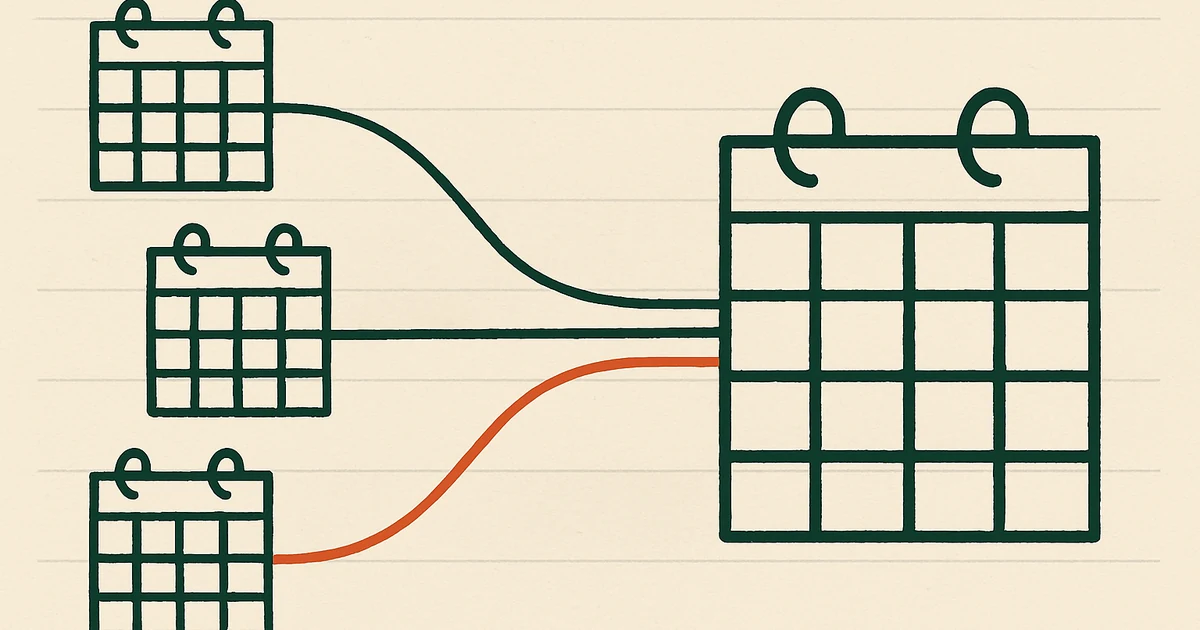
When you freelance for multiple clients, each expects you to be available when their calendar shows you’re free. But they each use different calendar systems. Google Workspace for one, Microsoft 365 for another, maybe something else for a third. None can see each other, and none know about your personal commitments.
Result: double-bookings, awkward rescheduling, and constant worry about which calendar you forgot to check.
Why this is harder than it looks
A typical freelancer with 3 clients has:
- A personal Google Calendar
- Client A’s Google Workspace calendar
- Client B’s Microsoft 365 calendar
- Client C’s Google Workspace calendar
That’s 4 calendars across 3 accounts with no connection. When Client A books you at 2pm Tuesday, Clients B and C still see that slot as free. You can add all accounts to your phone, but your clients’ scheduling tools (Outlook’s “Find a time” or Google’s “Schedule with me”) only see their own calendar.
What doesn’t work
Calendar overlay: Add all 4 calendars to your phone, but only you see the combined view. Each client’s scheduling tool (Outlook, Google) still sees their calendar in isolation. They don’t know you’re busy with another client.
Sharing calendars: Share Client A’s calendar with Client B so they see your availability. But this exposes Client A’s confidential meetings, locations, and attendees to Client B. Serious breach of trust.
Manual blocking: Create “Busy” blocks on every calendar after each booking. Client A books 10am–12pm, you manually block the time on your personal calendar, Client B’s, and Client C’s. Move or cancel the meeting and you update 3 other calendars manually. Miss one and you’re double-booked. Doesn’t scale.
Shared availability calendar: Share a single “availability” calendar with all clients. Requires all clients to support ICS subscriptions (slow, 12–24 hours). Clients can’t customize what they see—if the calendar has meeting titles, they see everything.
The solution: the hub model
Use your personal calendar as a hub. Each client connects to it with two sync pairs (both Mark as Private):
- Client → Personal: Their bookings flow into your hub so you see all work in one place
- Personal → Client: Your aggregated availability flows back to them so they see when you’re booked
Here’s how:
- Connect all your calendar accounts to Hetk
- For each client, create two syncs (one in each direction) with Mark as Private
- Events appear as “Busy” blocks with all details stripped
- Sync happens automatically within seconds
Why the hub model
Your personal calendar is the single source of truth:
- You see all client bookings in one place (Client A, B, C all appear on your personal calendar)
- Clients see your real availability (you’re busy with Client A; they see “Busy” without knowing who with)
- Adding a new client costs exactly 2 sync pairs (Client → Personal, Personal → Client)
- You’re not manually blocking time — it syncs automatically from client bookings
Sync pair budget: Each client costs 2 pairs (inbound + outbound). That’s why Personal (3 pairs) fits 1 client fully, and Professional (8 pairs) fits 4 clients fully.
Example: 3 clients + personal calendar
A freelancer with 3 clients needs to see all their bookings in one place and show each client real availability. The hub model requires two-way syncs: each client’s bookings flow into your personal calendar, and your aggregated availability flows back out.
| Sync Direction | Source | Destination | Privacy | Purpose |
|---|---|---|---|---|
| 1 | Client A | Personal | Mark as Private | A’s bookings appear on your hub |
| 2 | Personal | Client A | Mark as Private | A sees when you’re booked (by anyone) |
| 3 | Client B | Personal | Mark as Private | B’s bookings appear on your hub |
| 4 | Personal | Client B | Mark as Private | B sees when you’re booked (by anyone) |
| 5 | Client C | Personal | Mark as Private | C’s bookings appear on your hub |
| 6 | Personal | Client C | Mark as Private | C sees when you’re booked (by anyone) |
6 sync pairs total. This requires the Professional plan ($50/year, 8 pairs).
When Client A books you at 2 PM Tuesday:
- Hetk detects the event in Client A’s calendar (within seconds)
- Hetk syncs it to your personal calendar as “Busy” (sync #1)
- Your personal calendar’s outbound syncs immediately reflect this to Clients B and C (syncs #4, #6)
- Clients B and C see you’re unavailable at 2 PM Tuesday—without knowing it’s Client A or what you’re doing
Each client sees your real availability without seeing each other’s details. You see everything aggregated on your personal calendar.
What each client sees
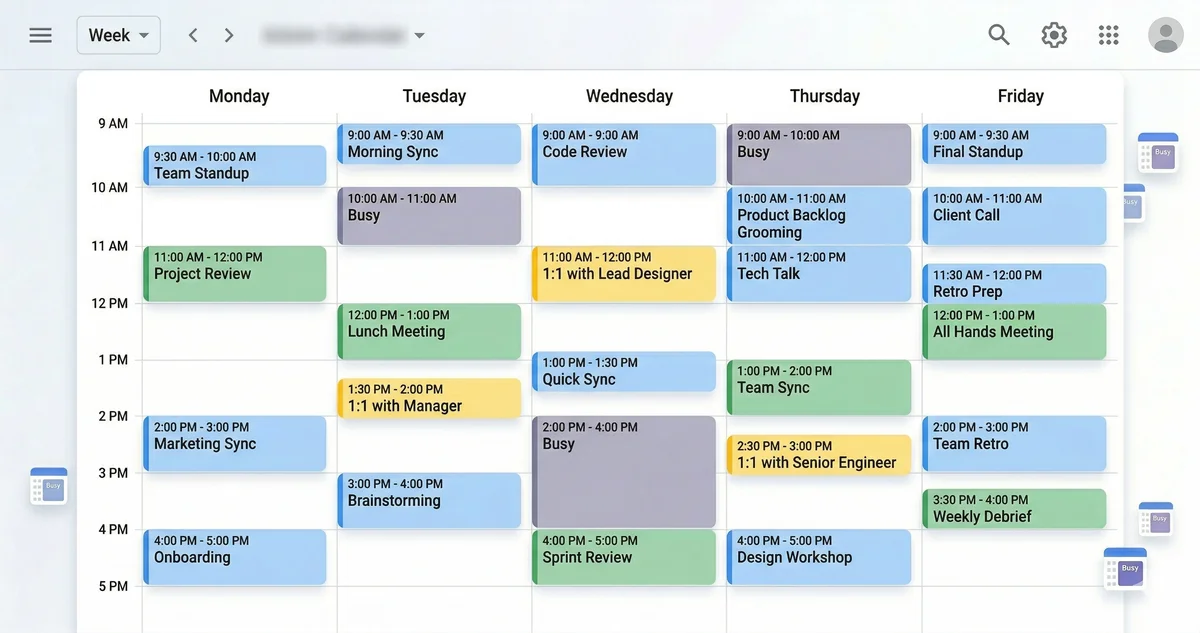
When Client A looks at your availability, they see:
- Blocked time slots marked “Busy” when you’re committed elsewhere
- No information about which client those meetings are for
- No event titles (just “Busy”, not “Client B call” or “Client C project review”)
- No descriptions, locations, or attendees from other clients
- Your Client A email as the organizer (via identity transform)
Client A respects your other commitments without learning about other clients or your personal life.
Scaling to more clients
The example above is 3 clients, fully two-way = 6 sync pairs. That maxes out the Professional plan (8 pairs) with room for one more client.
The math is simple: each client costs 2 pairs (inbound + outbound).
- 1 client = 2 pairs (fits Personal plan, 1 pair spare)
- 2 clients = 4 pairs (fits Personal plan)
- 3 clients = 6 pairs (fits Professional plan, 2 pairs spare)
- 4 clients = 8 pairs (maxes out Professional plan)
If you have more than 4 clients: you can mix one-way and two-way syncs to stay within your 8-pair ceiling. For example, sync inbound from all 5 clients (5 pairs) and outbound to just your primary 3 (3 pairs, total 8). This means clients see your availability only from your main calendars, not every booking. Or contact support about enterprise options for unlimited pairs.
Pricing for freelancers
Personal plan ($15/year, up to 3 sync pairs):
- Fits 1 client fully two-way (2 pairs, 1 spare)
- Or up to 3 clients if one-way-only (each client gets Personal → Client, no inbound)
- Best for: freelancers with just one main client, or multiple clients where you manage the master schedule yourself
Professional plan ($50/year, up to 8 sync pairs):
- Fits up to 4 clients fully two-way (8 pairs exactly)
- Best for: freelancers managing multiple active clients simultaneously, each with independent bookings
Both include unlimited calendars and a 21-day free trial.
Quick calculator:
- Each two-way client connection = 2 sync pairs
- Personal plan: 3 pairs ÷ 2 = 1 client fully two-way (or 3 one-way clients)
- Professional plan: 8 pairs ÷ 2 = 4 clients fully two-way
Compared to doing it manually
| Hetk sync | Manual blocking | |
|---|---|---|
| Time per new booking | 0 seconds | 5–10 min |
| Time per update | 0 seconds | 5–10 min |
| Cancellations | Automatic | Manual (easy to forget) |
| Time changes | Automatic | Manual |
| Confidentiality | Built-in (Mark as Private) | Depends on you |
| Google + Outlook | Yes | Yes (more effort) |
| Cost per client | $50/yr ÷ 4–7 = $7–12 | Free (time cost) |
| Hidden cost | None | 5–10 min × 3 clients × 10 bookings/mo = 2.5–5 hrs/mo |
At 10 bookings monthly across 3 clients, manual blocking costs 2.5–5 hours per month. Hetk’s $50/year saves time and reduces errors.
Getting started
If you’re freelancing with 2+ clients and getting double-booked, setup takes 5–10 minutes:
- Go to app.hetk.io
- Connect all your calendar accounts
- For each client, create two syncs — Client → Personal and Personal → Client
- Enable Mark as Private on all of them to keep client details hidden
- Test with a dummy event to confirm clients see only “Busy” blocks
New bookings automatically update availability across all calendars within seconds. Cancel a meeting in one calendar and it disappears from all others. No manual copying, no double-bookings, no client information leaking.
Troubleshooting
A client still sees other clients’ events
You’ve set up Mark as Private, but Client A sees events from Client B or your personal calendar.
Possible causes:
- Sync hasn’t run yet: the relationship may be set up but not active. Wait 2–3 minutes and refresh. Hetk syncs within seconds, but the calendar app may be cached
- Mark as Private not enabled: double-check in Hetk that it’s enabled on both syncs for that client (Client → Personal and Personal → Client). If events synced before you enabled privacy, delete the old copies from the destination
- Wrong calendar selected: confirm each sync points at the calendar you intend — syncing the wrong source calendar can pull in events you meant to keep separate
Client’s calendar isn’t updating when I cancel meetings
You delete a meeting but the “Busy” block still shows on a client’s calendar.
Hetk syncs deletions automatically, but there’s sometimes a delay or caching issue. Try:
- Wait 1–2 minutes for the sync to process
- Have the client manually refresh their calendar (F5 or close/reopen the app)
- If it still shows, manually delete the “Busy” block from the client’s calendar
Too many sync pairs to manage?
With 4 clients on Professional, you’re using all 8 pairs (4 clients × 2 pairs each). You don’t need to manage them—Hetk does. Once set up, they run automatically. You only interact with them when:
- Adding a new client (would require 2 more pairs; you’d need to mix in one-way syncs or upgrade)
- A client leaves (delete their 2 sync pairs; Hetk stops syncing their bookings)
The rest of the time, syncs work silently. Client A books you at 2 PM Tuesday. Within seconds, it appears on your personal calendar. Within seconds, your outbound syncs to Clients B, C, D show “Busy 2-3 PM” with no details. All automatic.
Frequently asked questions
How many clients can I sync?
Hetk caps sync pairs, not calendars. You can connect as many calendars as you need.
The hub model uses 2 pairs per client (inbound + outbound, both Mark as Private):
Personal plan (3 pairs):
- 1 client fully two-way (uses 2 pairs, 1 spare)
- Or 3 clients one-way-only (Personal → each client, no inbound)
Professional plan (8 pairs):
- Up to 4 clients fully two-way (uses 8 pairs exactly)
- Or more clients with a mix of two-way (primary) and one-way (secondary)
The two-way hub model is most common because you see all client bookings in one place and they see your real availability. If you have 5+ clients, you can do inbound from all of them (5 pairs) and outbound to just your top 3 (3 pairs, total 8), so clients see your availability only from your busiest calendars.
What happens when I lose a client?
When you stop working with a client:
- Stop syncing to their calendar (turn off syncs involving their calendar in Hetk)
- Busy blocks already synced to their calendar stay there (Hetk doesn’t retroactively delete)
- Their future bookings no longer block your other calendars
- You can keep the sync paused in case they return
You can always recreate the sync relationship later if needed.
Do clients know I’m using a sync tool?
No. Clients have no way to know you’re using Hetk. They just see “Busy” blocks. The sync is completely invisible to them. Hetk doesn’t notify them—it’s just you keeping calendars in sync on your end.
Can I set different privacy levels for different clients?
Yes, but you need separate syncs. For example:
- Client A → Personal: Mark as Private (strip details)
- Client B → Personal: Full details
This works but adds complexity. Most freelancers use Mark as Private for all external syncs for simplicity and consistency.
What if two clients want to hire me on the same time?
Hetk’s hub model handles this gracefully:
- Client A books you at 2 PM Tuesday, synced to your personal calendar as “Busy”
- Your personal calendar syncs outbound; Client B checks your availability and sees 2 PM as “Busy”
- Client B picks a different time. Both clients get you at different times, no conflict
If both try to book the same slot (because one books before Hetk syncs), you manually resolve the conflict. Block that time and reschedule one, explaining you double-booked by mistake.