How the pieces fit together
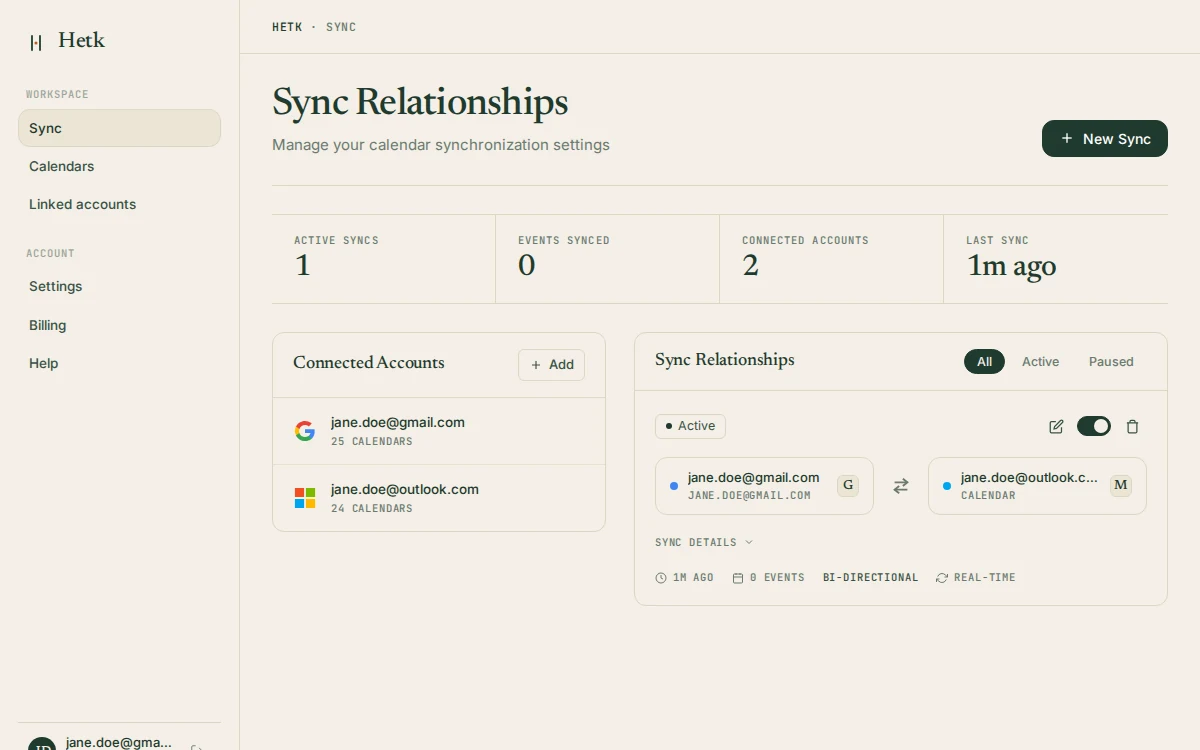
The features above aren’t a checklist of separate tools. They’re the parts of one setup, and they make the most sense together. You connect your accounts, you create a sync relationship between two calendars, you pick a direction, and you decide how much of each event the other side should see. That’s the whole model. Everything else is Hetk doing that job reliably while you forget about it.
A sync relationship is the unit you work with. Each one links a source calendar to a target, carries its own direction, and has its own privacy settings. You can have several at once, pointed in different directions, and they don’t interfere. A common arrangement is one-way mirrors flowing into a calendar you read, plus a private “Busy” sync flowing out to a calendar other people read. The use-case pages show real versions of this for freelancers, lawyers, executive assistants, and others.
You don’t have to set one up blind. The sync wizard shows a preview of your week as Hetk would sync it before you press “Create and start”, and every existing sync has a read-only calendar view of what Hetk’s next pass would do.
What isn’t here is also deliberate. No scheduling assistant, no AI rewriting your meeting titles, no platform-flavoured extras. The title templates are deterministic by design: a pattern you write, applied the same way every time, with no model deciding anything. The reasoning behind keeping AI out of the product is in why Hetk has no AI.
What “real-time” actually means
Hetk supports exactly three providers: Google Calendar, Microsoft Outlook / 365 and Apple iCloud.
Google Calendar and Outlook. Changes in Google Calendar and Outlook usually arrive within seconds, through push notifications. A safety check runs every 15 minutes in case a notification is missed. Hetk renews the push subscriptions before they expire, so you never have to think about reconnecting.
Apple iCloud. Apple iCloud has no push. Hetk checks iCloud every 5 minutes, and less often for a calendar that has been quiet. Changes going the other way, into iCloud, are written as soon as Hetk hears about them.
Hetk does not promise a hard number. The result in practice: you stop copying events by hand.
Two safeguards run underneath. Duplicate detection keeps the same event from being written twice, which is the failure mode most ad-hoc sync setups eventually hit. And because Hetk tracks each synced event by its identifier, an edit updates the existing copy instead of creating a second one.
Set it up for your calendars
Each provider connects a little differently. The integration pages say what Hetk asks for and what it can and cannot sync: Google Calendar and Google Workspace, Outlook and Microsoft 365, and Apple iCloud over CalDAV.
Then follow the guide for your pair: Outlook with Google Calendar, iCloud with Google Calendar, iCloud with Outlook, or a shared Outlook calendar with Google. iCloud needs an app-specific password before it will connect.
Not sure yet? Try Hetk on spare calendars first. Every guide is listed on the guides page, and unfamiliar terms are in the glossary.
Pick a plan by how many syncs you need
Both plans include every feature on this page: bi-directional sync, all three providers, the full set of privacy controls, filters, and automatic updates. The difference is how many sync relationships you can run at once. Personal covers up to three sync pairs, which suits keeping a work and personal calendar aligned or handling a couple of clients. Professional covers up to eight, for people coordinating several calendars across providers and organisations. Connected calendars are unlimited on both; only the number of active sync pairs is capped. Every account starts with a 21-day free trial that includes full access, so you can build your real setup before deciding.
Still weighing Hetk against another tool? The comparison pages go feature by feature, and the 2026 calendar sync roundup puts the main alternatives side by side. Wondering whether your specific situation is a good fit? The FAQ answers the questions we hear most.